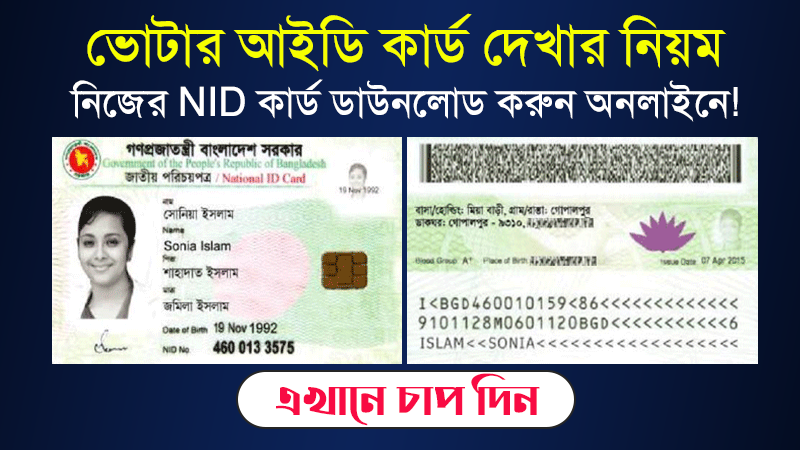
NID Card Download services.nidw.gov.bd – service nidw gov bd/nid-pub Login – How to Check & get NID – জাতীয় পরিচয়পত্র ডাউনলোড ২০২৬. If you want to know about checking and downloading national voter ID cards and Smart ID Cards, you should read this post carefully. Do you want to check or download a national Voter ID Card via online services? Then this post is for you. We will provide detailed information about checking and downloading voter ID cards in the article below. https://services.nidw.gov.bd/nid-pub/claim-account, nid service gov bd.
Have you registered for the voter list update program? If you have registered, then you need to check your NID card. Even then, the voter ID card is one of our most important documents. Voter ID cards are used everywhere, not just to vote. According to the following rules, you can check the voter ID card and download the voter ID card, service.nidw.gov.bd login.
NID Card Download services.nidw.gov.bd
সূচিপত্র
NID Card Check Bangladesh at https //services.nidw.gov.bd. It’s still working, and it’s easy to get an online copy. Those who already have a national identity card can check their voter registration and get their NID card online in PDF format. If you do not have an NID card or have not registered before, go for registration for a new national identity card. Now you can claim your online account through the website https://services.dw.gov.bd/nid-pub/claim-account. Let’s check and download the NID by following the steps below.
- Read More: জাতীয় পরিচয়পত্র ডাউনলোড করার নিয়ম:
How to Login at service nidw gov bd/nid-pub?
It’s very easy to log in to your NID Application System account. If you have registered your account with your voter ID information, you can easily access your account through login your account in to the NID card system database. So here is the simple way to log in to your NID CARD account:

- Visit this link https://services.nidw.gov.bd/nid-pub.
- Then Provide your NID CARD number or Username.
- Enter your password.
- Fill out the image captcha challenge correctly.
- Now, click on the Login Button.
How to Download & Check the NID CARD at service nidw gov bd/nid-pub Login?
To check your NID card or get an NID, first, visit https://services.nidw.gov.bd/nid-pub/claim-account this link. Then enter your voter ID card number or voter slip form number in the 1st cell. Enter your date of birth and the captcha given later in cell 2. Search at the end of it all. This way you can check the voter ID card and register your account to get an online NID card.
Go to this link and complete that form using the below information.
- Write your NID Number or Form Number.
- Write your date of birth without any mistake
- Complete the captcha code shown on the image and Click the Submit Button.

On The 2nd page: Select Address
You cannot claim a NID account without selecting your correct address. Now, you need to select your current and permanent address as well. It’s a very easy task because you just have to select your division, district, and upazila. Remind that you must select both a current and a permanent address. Because the services.nidw.gov.bd authority verifies your address with your existing information.

On the 3rd Page: SMS verification by NID Verification
On this Voter ID check page (ভোটার আইডি চেক) you will see your previously added mobile number. Click the Send SMS button then you will get a six-digit verification code on your mobile phone. Please enter a 6-digit verification code and click Continue.
Wait a little bit for the verification code. Sometimes it may take a few times. But don’t be bothered, there will be a resend button as you can receive another verification code on your mobile phone.
get the NID Card Check BD Wallet app

If you have the NID Wallet app installed on your Android phone then it’s okay. But if you do have not the app then you can download and install it from the Google Play Store. Note that iPhone users are currently unable to download or use the NID Wallet app. Open your app and follow the procedure described by the NID Wallet application.

We suggest you secure your account with a strong password. If you forget your password, you can use your mobile number to get instructions for resetting information. If you do not set a password, you will need to repeat the process to reclaim your account.
So, now on the 4th Page: Online NID Card Download
On this page, you can save the password to log in next time at services.nidw.gov.bd. Add a strong password that you will remember for later use, and this will protect your account. You can add a username if you don’t add it just because it’s optional. If you do not add a username, your NID number will be used as the username. Click Avoid Password for Quick and Urgent. Go to the NID Download page.

I hope you are following our guidelines and checking your national identity card with personal information, address, etc. Now check nid and correct your information by paying the services.nidw.gov.bd authority fee. Thanks for continuing to read our posts and for supporting us by sharing Nid card check in Bangladesh. Download the process with your Facebook friends.
Smart NID Status Check via SMS
Citizens can check the current status of their Smart NID card from home through SMS. By sending an SMS in a specific format to the number specified by the Election Commission, the card information can be obtained.
- SMS format: SC (17-digit NID number), Send to: 105
For those whose NID number is 13 digits, they will have to add the year of birth, fill in 17 digits, and send the SMS.
Smart NID Card Status Check 2026
Enter your National Identity Card Number or Form Number and Date of Birth to get Smart Card information. You can easily able to check your SMART NID CARD Status by providing your Identity card info below.


Conclusion Speech
For any kind of problem you face when trying to Download or do other things, contact info@nidw.gov.bd from Sunday-Thursday, 9:00 am-5:00 pm. You may directly talk with the National ID Card Service online support team through Helpline: 105, +88 01708-501261. All information has been collected from the Bangladesh Election Commission currently working. If you are facing any error to check your NID card and download NID then kindly inform us via comment. Thanks for having us.